
Overview
The Settings Panel is your control center for all administrative tasks outside of live meetings. Here you manage rosters, configure Attendance Profiles, set up Name Matching, browse and export Attendance Records, and adjust defaults in Other Settings.
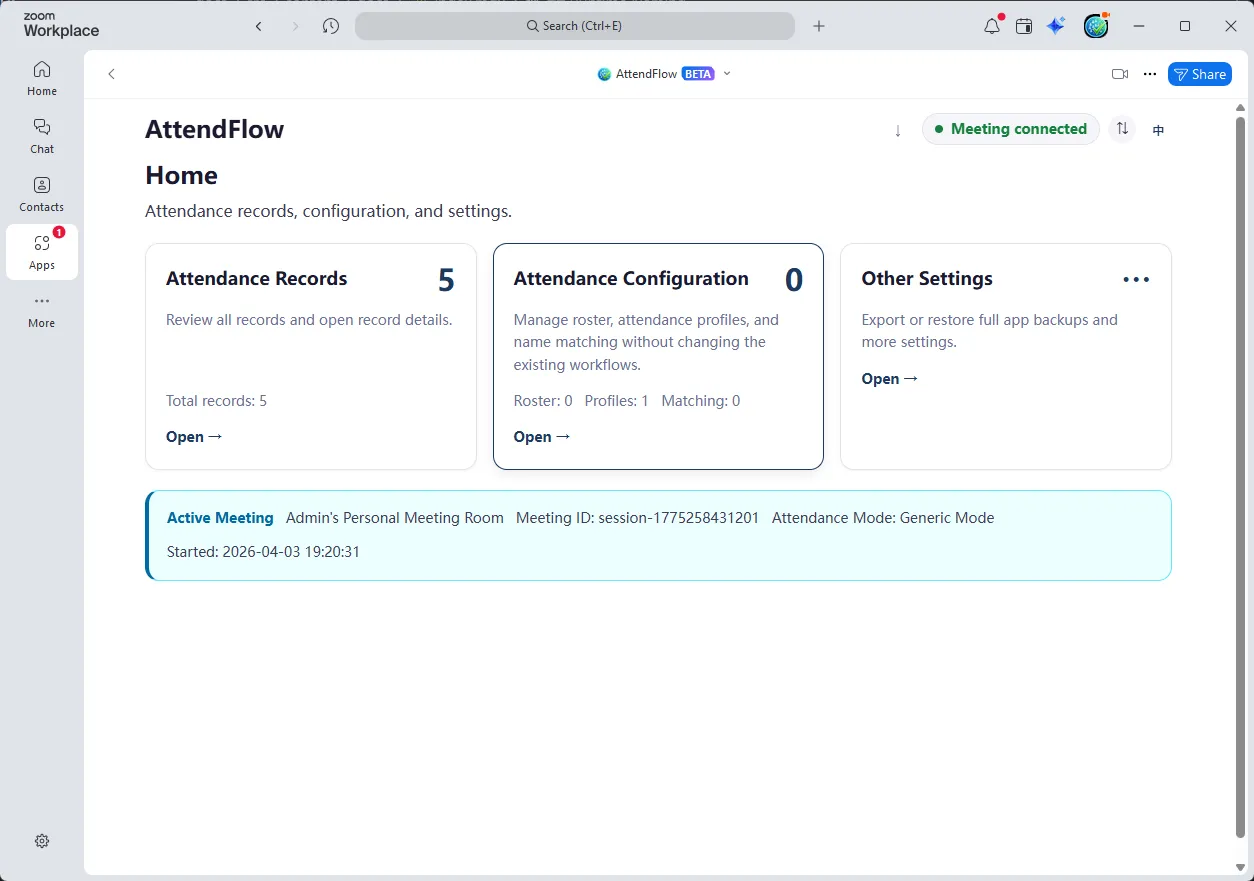 Settings Panel (Zoom Main Client runtime)
When You Use the Settings Panel
Section titled “When You Use the Settings Panel”- Before meetings: Upload rosters, create/review Attendance Profiles, verify Name Matching rules.
- After meetings: Browse Attendance Records and optionally export data.
- During meeting: If you need to add to roster or adjust Name Matching on-the-fly, you can open the Settings Panel while the meeting is live. Click Sync button on the top right after making changes to see updates in the Meeting Panel.
The Five Main Sections
Section titled “The Five Main Sections”1. Roster Management
Section titled “1. Roster Management”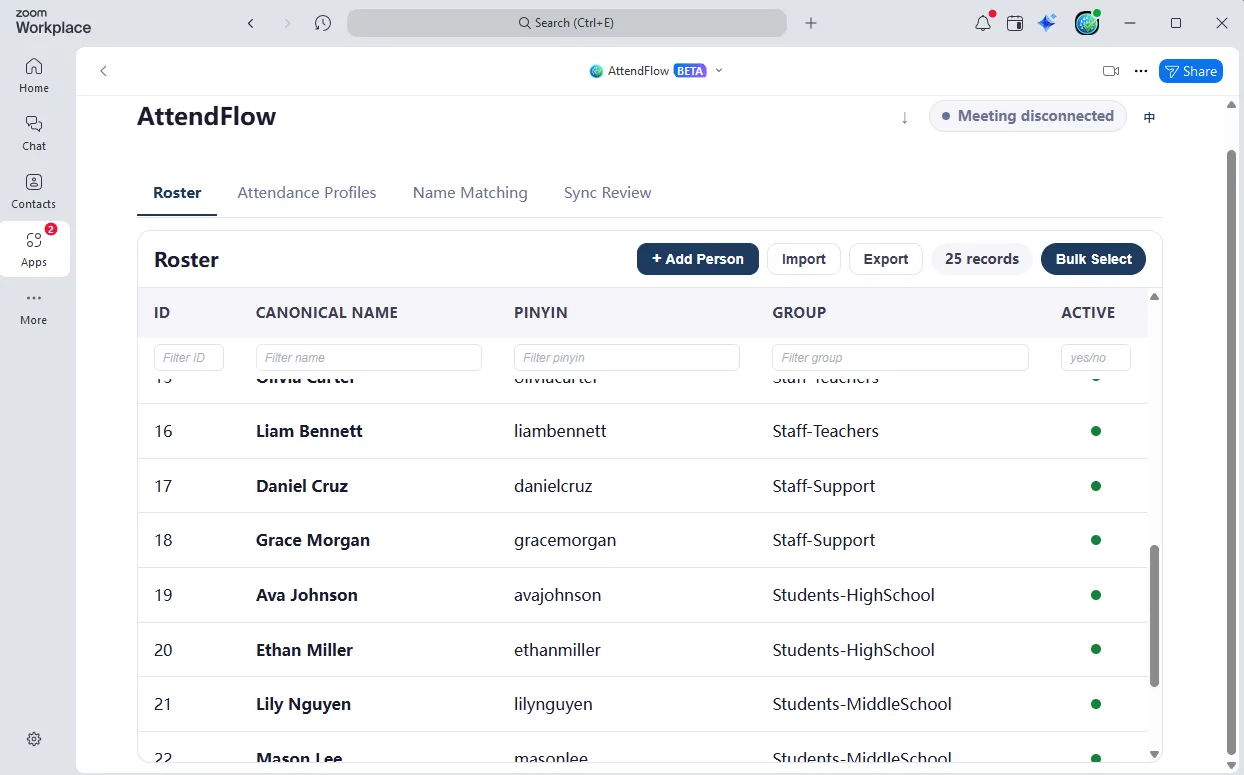 Roster Management page
Purpose: Create (import), edit, and maintain your roster of expected attendees.
Link: Roster Management
2. Attendance Profiles
Section titled “2. Attendance Profiles”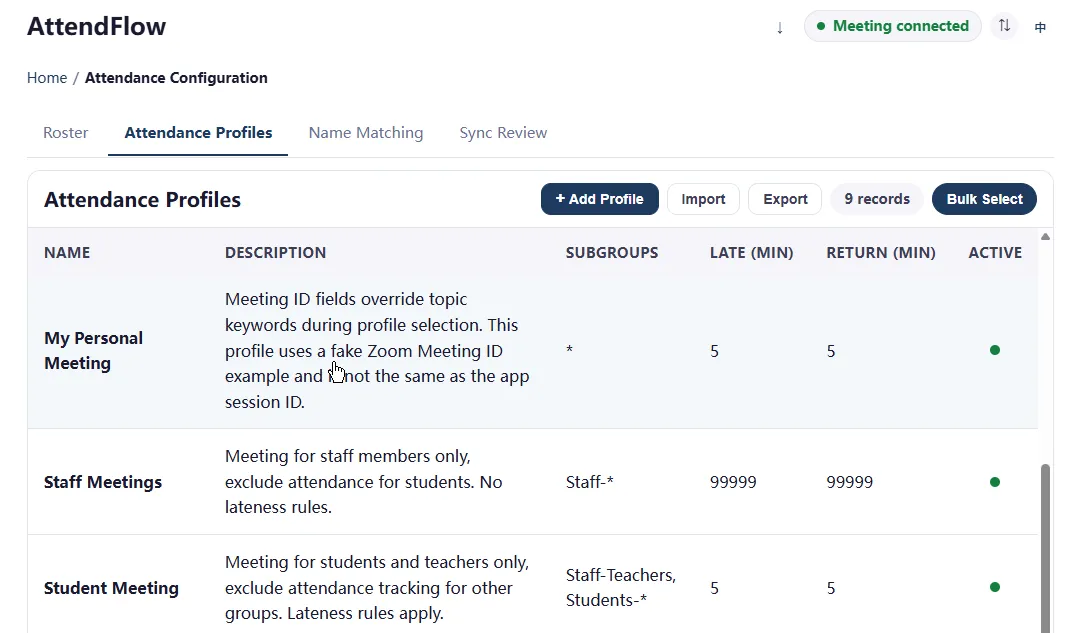 Attendance Profiles page
Purpose: Create rules that define how attendance is calculated for specific meetings or meeting series.
Each profile specifies:
- Included subgroups: Which roster groups to expect (e.g., only “Team A” for a specific meeting).
- Late threshold: How many minutes after start before someone is marked “Late”.
- Return window: How many minutes of absence before re-joining is marked “Returned”.
- Hints: Optional keywords to auto-apply the profile to meetings with matching titles/IDs.
Example: You have a “weekly team sync” that expects 8 people from “Team A”, with a 5-minute late threshold. Create a profile for this meeting series so every time you start a meeting with “weekly team sync” in the title, AttendFlow auto-applies the profile.
Link: Attendance Profiles
3. Name Matching
Section titled “3. Name Matching”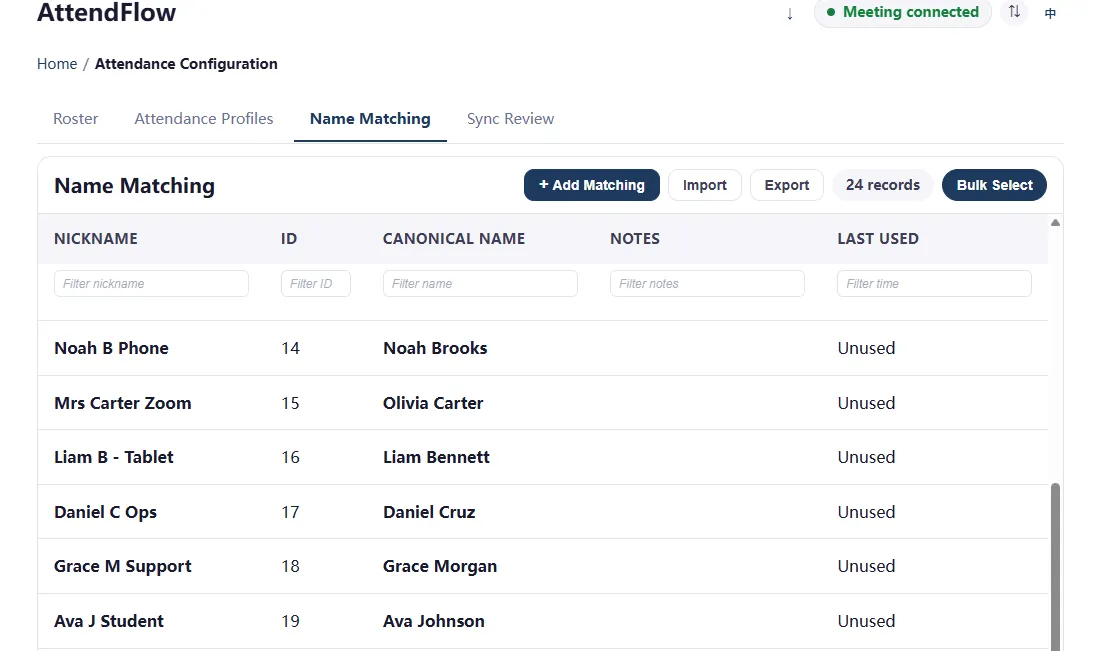 Name Matching page
Purpose: Map Zoom display names (what people type in Zoom) to canonical roster names (your official records).
Link: Name Matching
4. Attendance Records
Section titled “4. Attendance Records”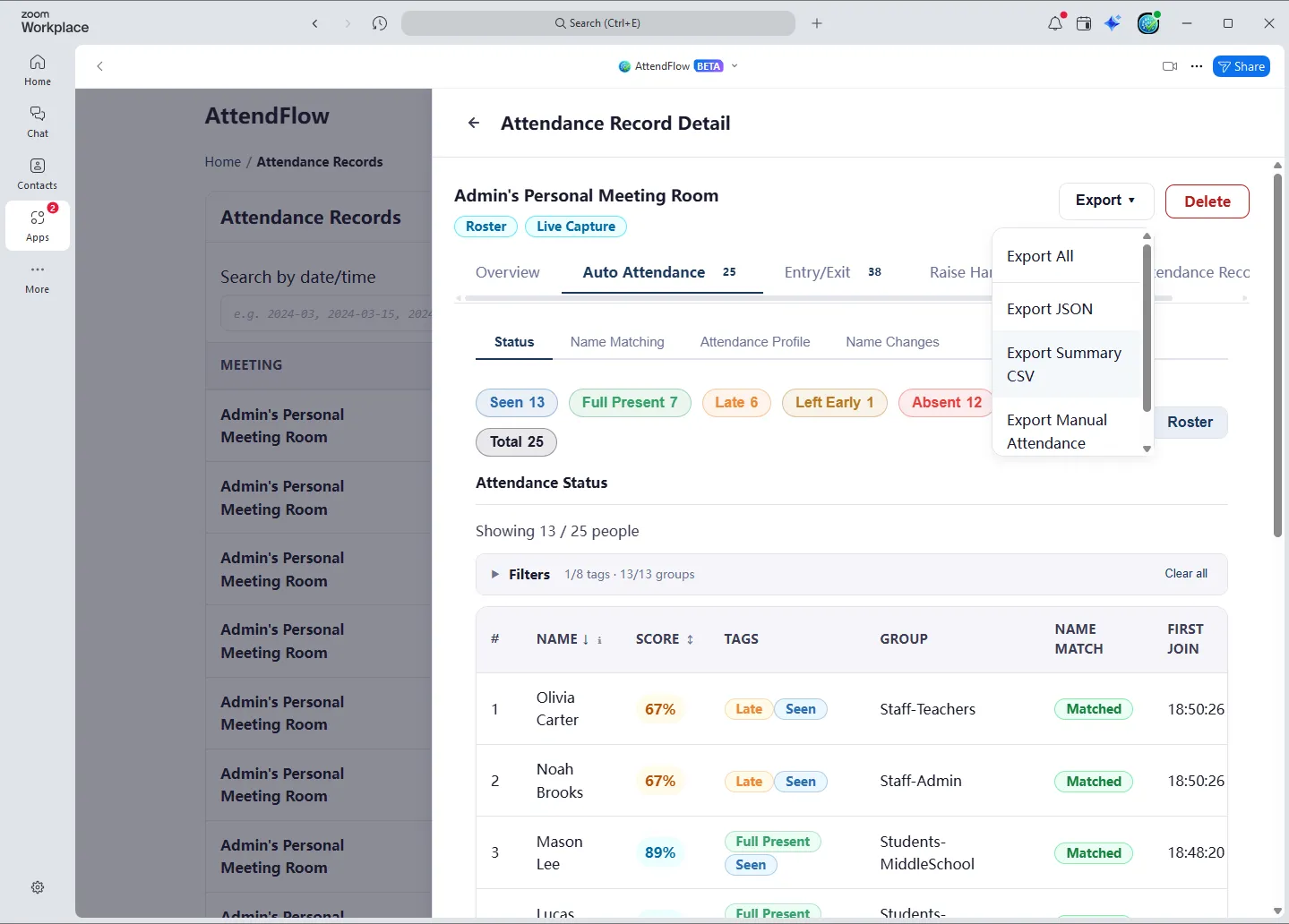 Attendance Records page showing past meetings and records
Purpose: Browse, review, and export past meeting Attendance Records.
Link: Attendance Records
5. Other Settings
Section titled “5. Other Settings”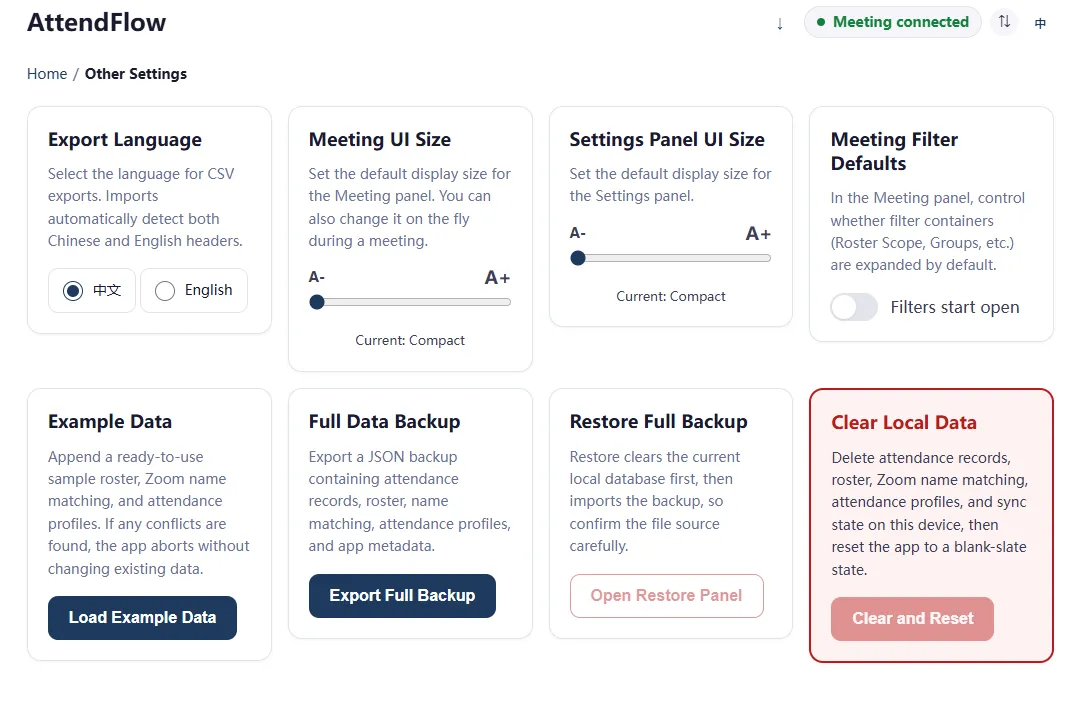 Other Settings page
Purpose: Configure system-wide defaults and maintenance actions, including export language, UI sizing, backup, and restore.
Link: Other Settings
Other Features
Section titled “Other Features”Sync Review (if applicable)
Section titled “Sync Review (if applicable)”If you manually apply a Name Match in the Meeting Panel that conflicts with existing Name Matching rules, that rule will not sync to the Settings Panel until you review and approve it in the Sync Review section. This is a safety mechanism to prevent accidental overwriting of Name Matching rules.
Related Links
Section titled “Related Links”- Getting Started Overview – Understand what AttendFlow does.
- First-Time Setup Workflow – End-to-end first-day checklist.
- Roster Mode Workflow – Using roster for accurate attendance.
- Attendance Records – Review what to export after a meeting.
- Import and Export Attendance Records – Choose the right export format.
- Import and Export Behavior – Review preview, backup, and restore rules.
- Meeting Panel Overview – Understand live meeting operations.