
Name Matching
Name Matching improves roster-mode accuracy by mapping Zoom screen names to roster identities.
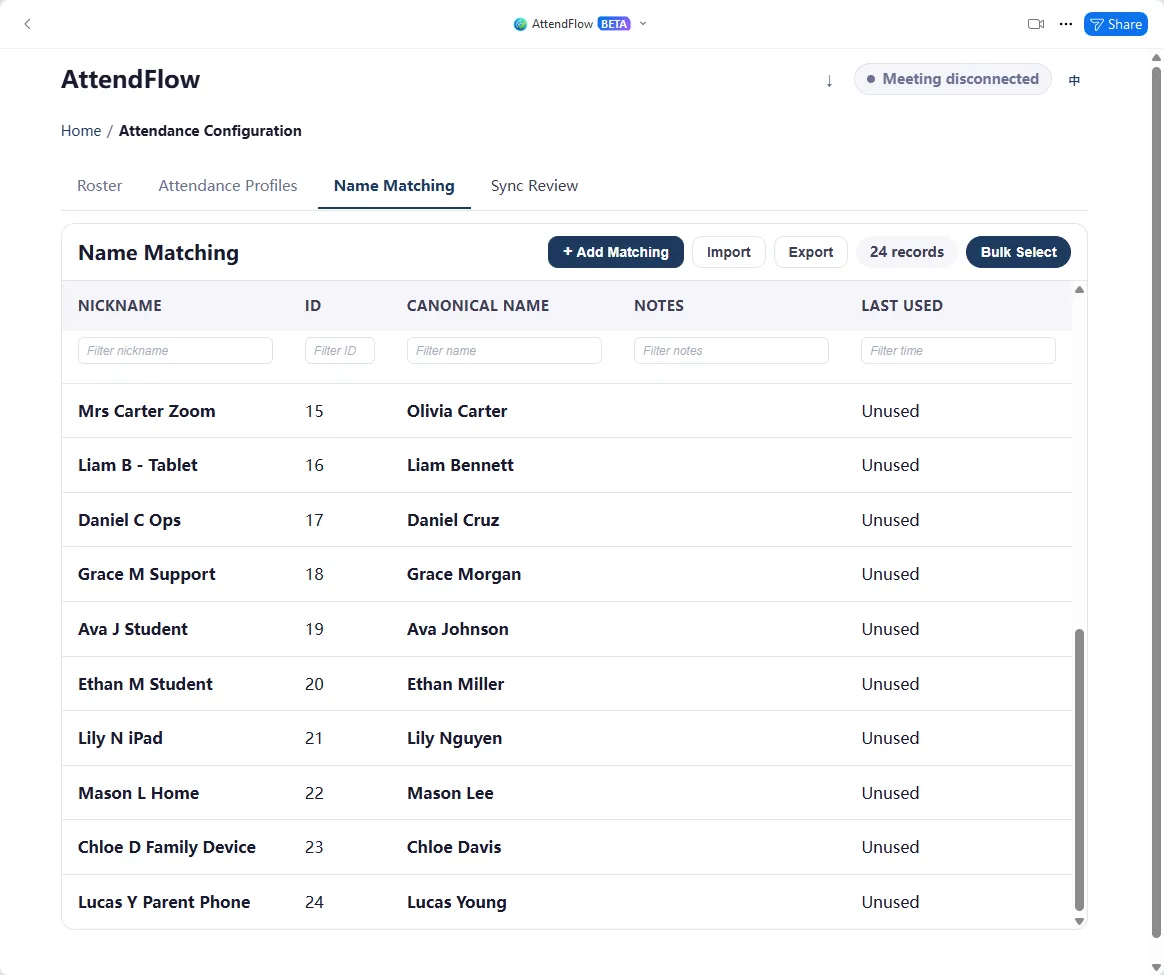 Name Matching rules editor
Participants with matched names will have their attendance records linked to their roster profiles, while unmatched names will be flagged for review. This allows you to maintain clean attendance data even when Zoom display names are inconsistent or informal.
You can define Name Matching rules in the Settings Panel, or apply one-off matches in the Meeting Panel during a live meeting. Name matches applied during a live meeting will be saved as rules and persist for future meetings.
Name Matching rules can also be imported/exported via CSV for bulk editing or backup.
Limitations
Section titled “Limitations”- Nicknames in Name Matching rules cannot be the same as any roster name.
- Nicknames cannot be the same as any other nickname in the rules.
What you can do
Section titled “What you can do”- Add, edit, or delete mappings in the editor.
- Bulk edit or delete mappings in the editor.
- Bulk add, update, or delete mappings via CSV import.
- Export all mappings or selected mappings.
Related Links
Section titled “Related Links”- Name Matching Workflow – Follow the full before, during, and after meeting process.
- Roster Management – Prepare the canonical roster entries first.
- Name Matching Import Fields – Review the exact CSV field rules.