

Entry/Exit
The Entry/Exit tab provides a complete chronological record of all join, leave events during the meeting. This is useful when you need exact timestamps or want to understand participant movement patterns.
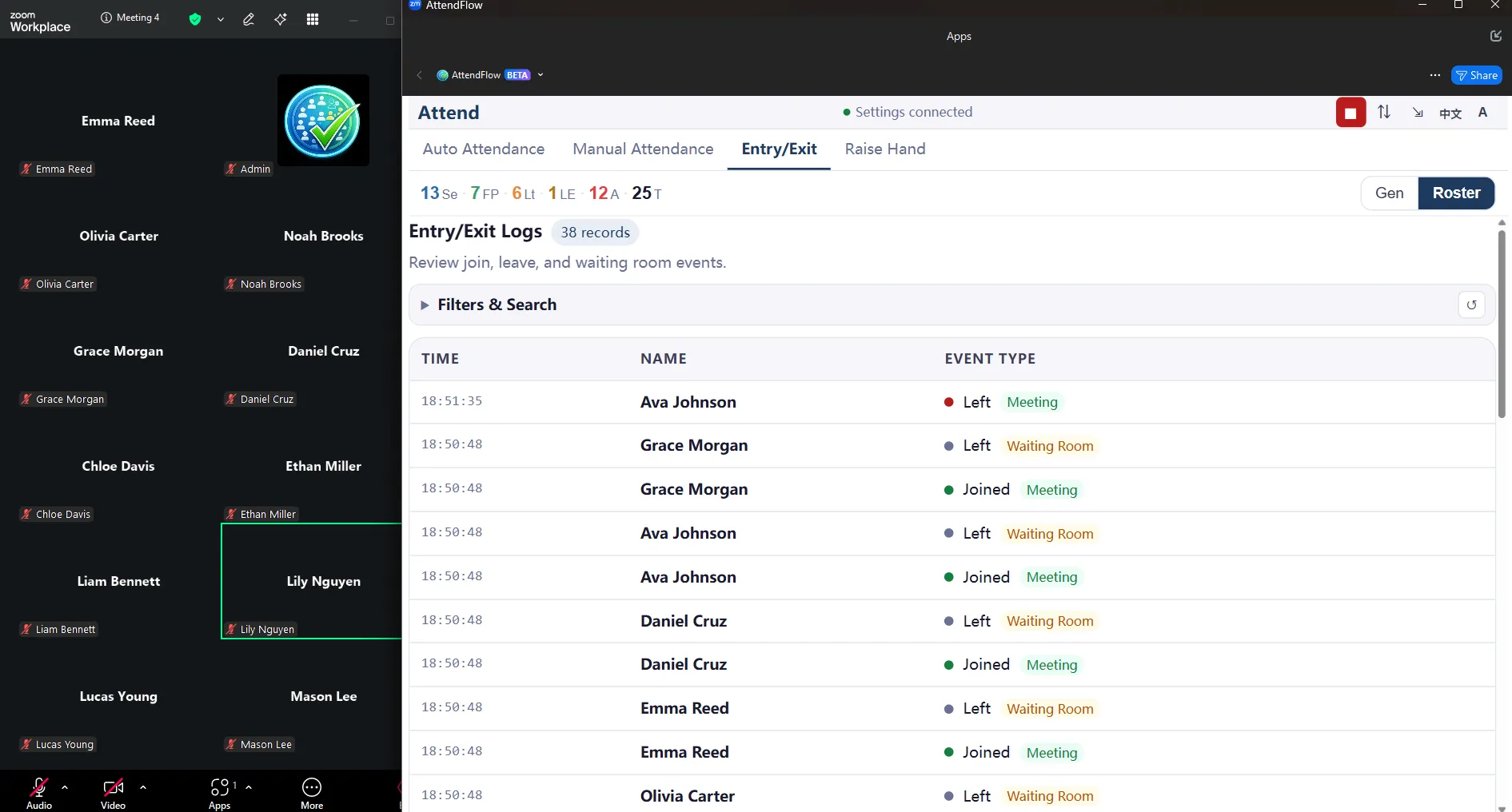 Entry/Exit tab showing join and leave events with timestamps
What the Log Shows
Section titled “What the Log Shows”A scrollable timeline with one row per event:
| Time | Name | Event Type |
|---|---|---|
| 18:51:35 | John Wang | Left Meeting |
| 18:40:52 | Li Ming | Joined Waiting Room |
| 18:35:00 | John Wang | Joined Meeting |
| 18:35:00 | John Wang | Left Waiting Room |
Each event captures:
- Exact timestamp (to the second).
- Participant name (as shown in Zoom).
- Event type
- Joined Meeting
- Left Meeting
- Joined Waiting Room
- Left Waiting Room
- In Meeting At Startup (if they were already in the meeting when you launched AttendFlow)
- In Waiting Room At Startup (if they were in the waiting room when you launched AttendFlow)
Filters & Search
Section titled “Filters & Search”You can filter the log by event type. Or search by participant name or pinyin to find specific events.
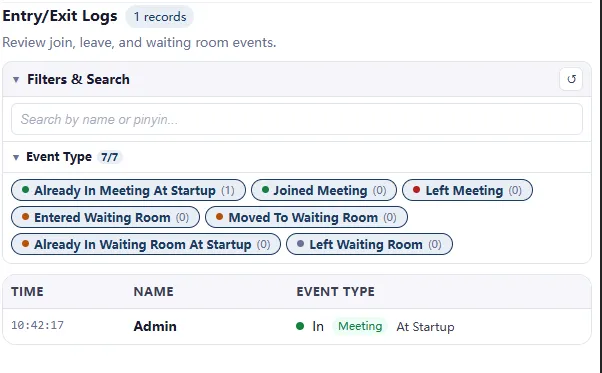 Entry/Exit filters: filter by event type or search by name/pinyin
Comparing Entry/Exit with Auto Attendance
Section titled “Comparing Entry/Exit with Auto Attendance”Entry/Exit: Shows the timeline—every join/leave event in order.
Auto Attendance: Shows the current state—who’s present right now and their status.
Related Links
Section titled “Related Links”- Meeting Panel Overview – Understand all four tabs.
- Auto Attendance Tab – See current statuses (compare with timeline).
- Manual Attendance Tab – Capture manual attendance record checkpoints.
- Attendance Records Export – Export full logs after meeting.
- Technical Reference: JSON Fields – Entry/exit log JSON structure.