
Uninstalling AttendFlow
Uninstall AttendFlow from Zoom Marketplace
Section titled “Uninstall AttendFlow from Zoom Marketplace”- Go to Zoom App Marketplace.
- Sign in with the Zoom account that installed AttendFlow.
- Click on “Manage” in the top right corner of the marketplace page.
- Find AttendFlow in your list of installed apps (added apps).
- Click ”…” (three dots) next to AttendFlow and select “Remove” from the dropdown menu.
- Confirm the removal when prompted.
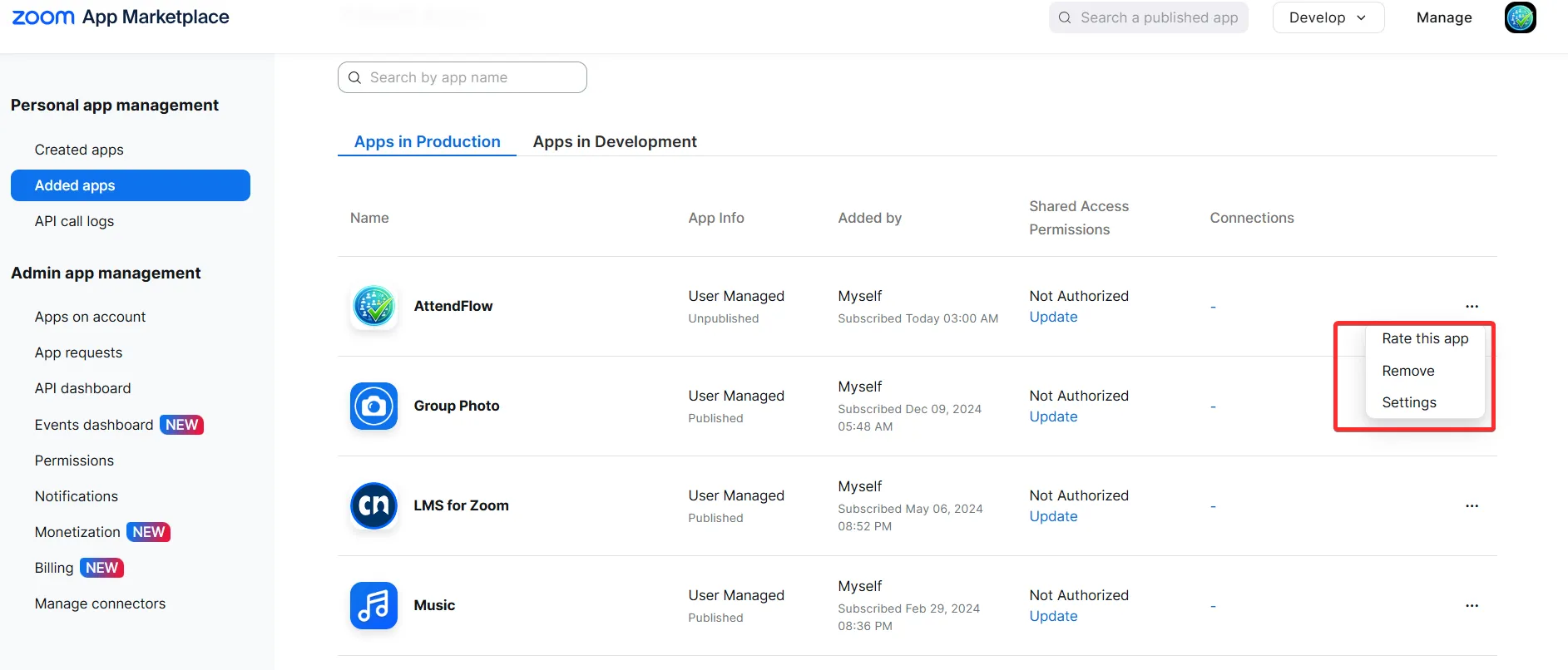 Removing AttendFlow from Zoom Marketplace
This will uninstall AttendFlow from your Zoom account and remove it from all meetings. If you want to use it again, you’ll need to reinstall it from the marketplace.