

Raise Hand
The Raise Hand tab logs every time a participant raises or lowers their hand during the meeting. This is useful for tracking participation, engagement, and question-asking patterns.
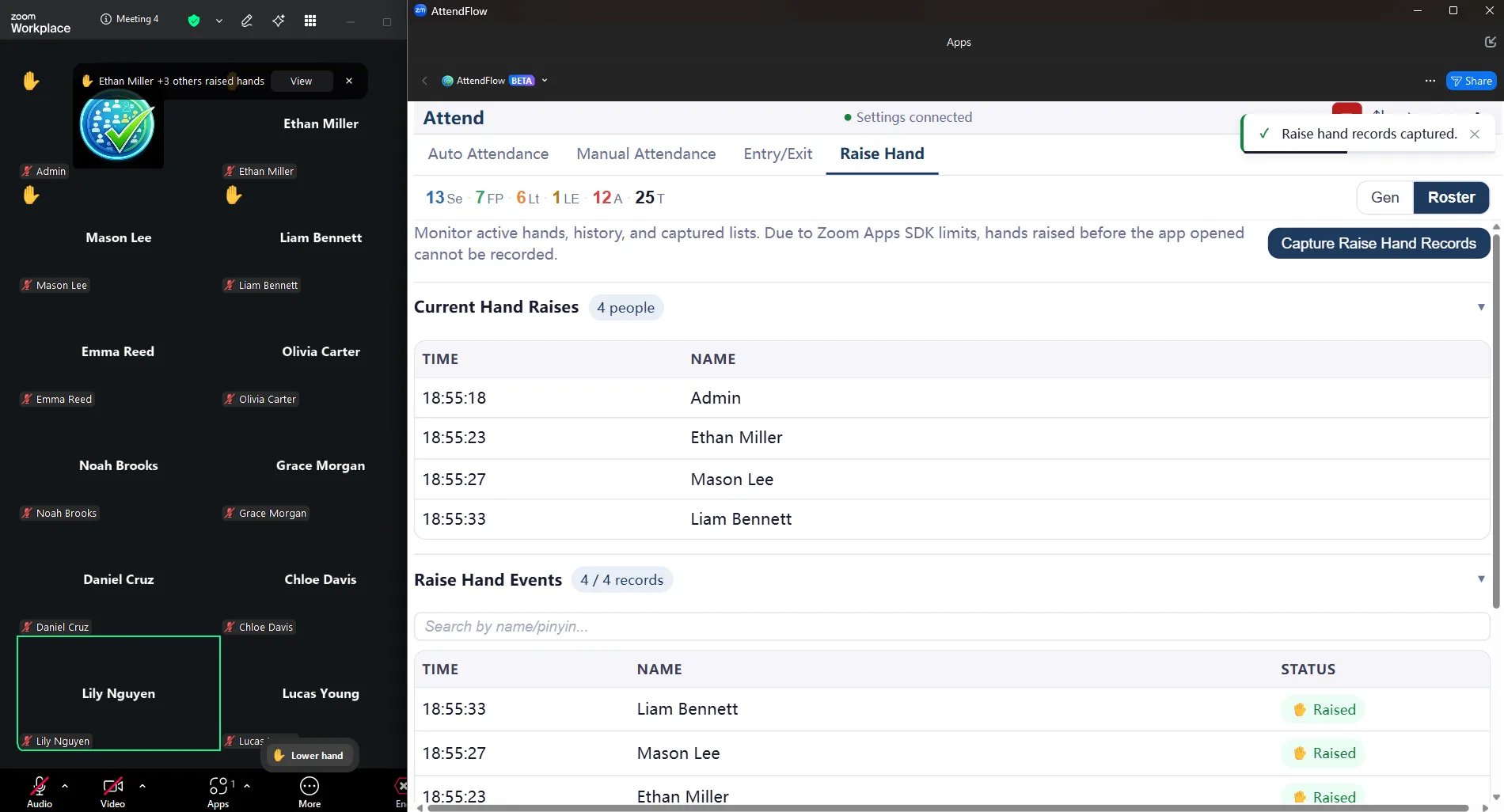 Raise Hand tab showing hand raise events with timestamps
What the Tab Shows
Section titled “What the Tab Shows”- Current Hand Raises Participants who currently have their hand raised (with a “hand raised” indicator).
- Raise Hand Events A reverse chronological log of all hand raise and lower events, with timestamps.
- Raise Hand Records All manually captured point-in-time raise-hand records.
Related Links
Section titled “Related Links”- Meeting Panel Overview – Understand all four tabs.
- Auto Attendance Tab – Monitor presence alongside participation.
- Manual Attendance Tab – Capture manual attendance record checkpoints.
- Attendance Records Export – Export participation data.
- FAQ – Common questions about engagement tracking.