

Attendance Records
Attendance Records store completed and in-progress data captured by Meeting Panel.
 Attendance Records list showing past meetings and records
Available actions
Section titled “Available actions”- Open a record detail view.
- Filter records by start date.
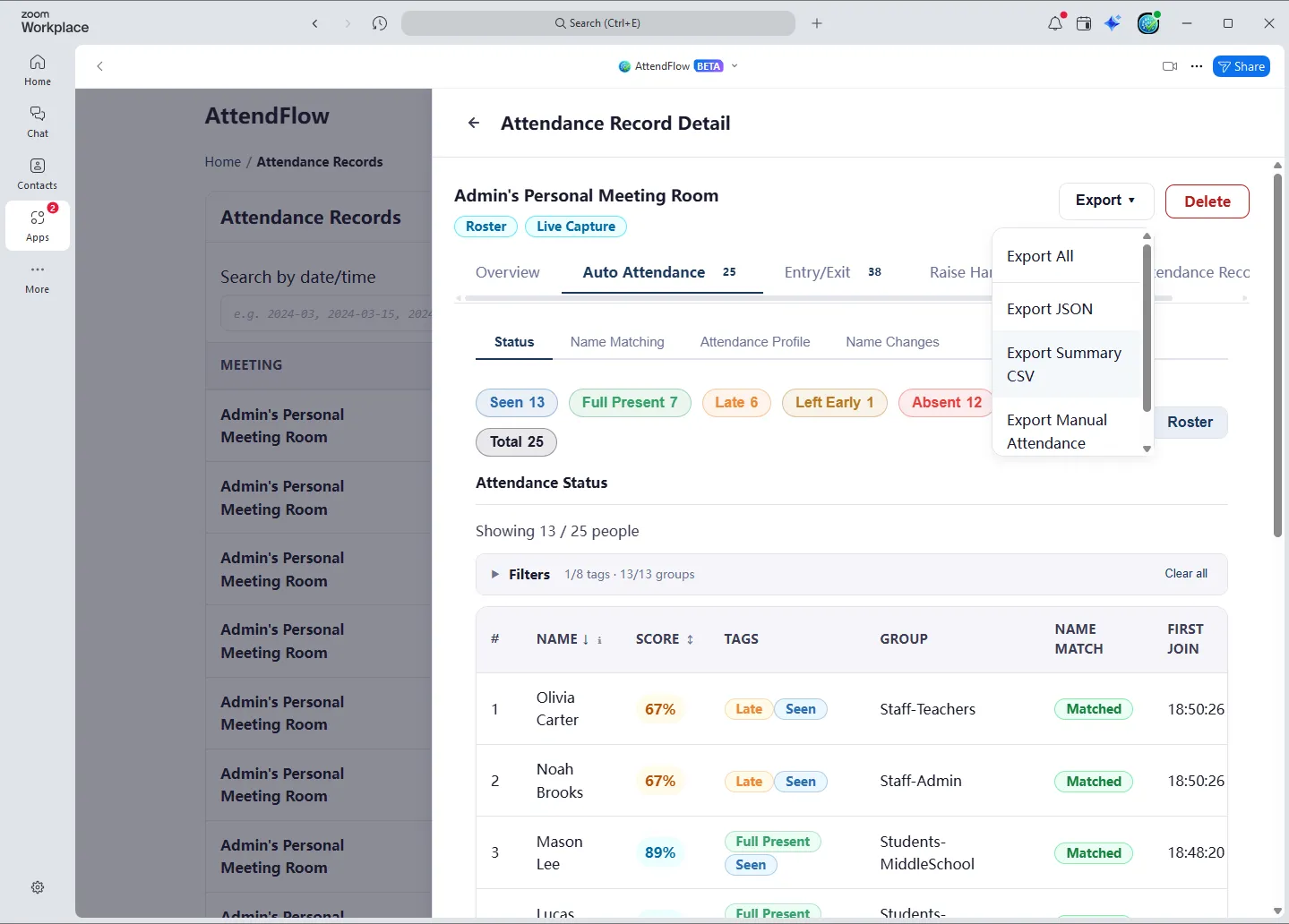
- Export one record to JSON and/or CSV.
- Export manual attendance records within a record to CSV.
- Export selected records to JSON.
- Export all visible records to JSON.
- Import past records from JSON files.
Export after a meeting
Section titled “Export after a meeting”For most meetings, this is the page you return to first after the meeting ends.
- Open the new record and confirm the meeting title, time range, and attendance mode.
- If you need a durable archive or later re-import, export JSON.
- If you need a spreadsheet-ready report, export CSV.
- If you captured checkpoints during the meeting, export manual attendance records CSV as well.
Record state notes
Section titled “Record state notes”- In-progress records continue receiving updates from live tracking. They cannot be deleted.
- Export marks records as exported.
Attendance Score and Grade
Section titled “Attendance Score and Grade”Attendance Score is a percentage calculated as the ratio of present duration to total meeting duration.
Attendance Grade is a bucketed label derived from the attendance score. Current rules are:
- 90% and above: Excellent
- 75% to 89%: Good
- 50% to 74%: Moderate
- 1% to 49%: Poor
- 0%: Absent
These thresholds are currently not configurable.
Using Records Details View
Section titled “Using Records Details View”Click on a record to open the details view.
Information here is largely the same as those in the Meeting Panel. However:
- You cannot edit or adjust any data here. This is a read-only historical view.
- Full participant statuses will be shown, instead of any status hiding rules that may be applied in the Meeting Panel. (Such as hiding “Seen” status if “Full Present” also applies.)
- Profile and related settings will be shown as they were at the end of the meeting.
Related Links
Section titled “Related Links”- Import and Export Attendance Records - Format options and file naming.
- Attendance Records JSON Fields - Field-level reference.
- Attendance Records CSV Columns - Exact CSV columns.