
Other Settings
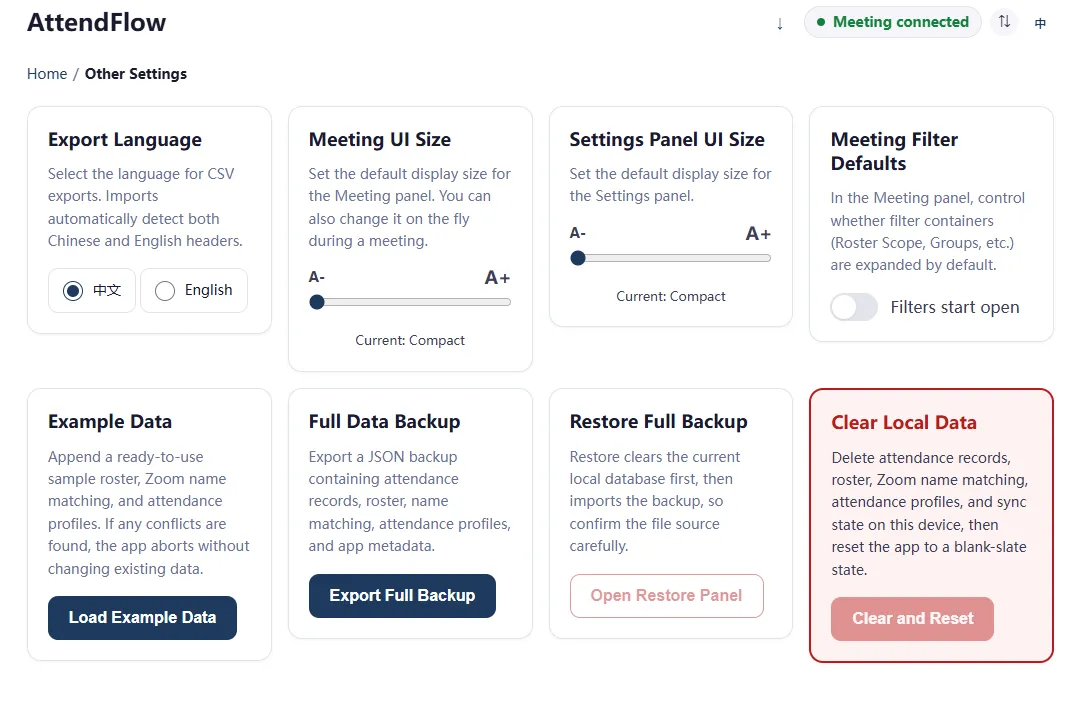 Other Settings page for language, UI size, and local data management
Available settings
Section titled “Available settings”- Export Language
- Meeting UI Size default
- Settings Panel UI Size
- Meeting filter defaults
- Load example data
- Export full backup
- Restore full backup
- Clear local data
Other considerations
Section titled “Other considerations”- Restoring a full backup will overwrite all existing data. Use with caution.
- Loading example data will not overwrite existing data, but it will add example profiles, roster entries, and records to your current data. This may cause confusion if you don’t intend to use the example data.
- If conflicts are found with existing data, example data importing will be stopped and rolled back.
- If you want to test with example data, it’s recommended to first export a full backup of your current data, then clear local data to start fresh before loading example data. This way you can easily restore your original data after testing.
Related Links
Section titled “Related Links”- Global Settings - Concept guide for these defaults before day-to-day use.
- Import and Export Behavior - Reference for export language, backup, restore, and import preview rules.
- FAQ - Common operator questions about permissions, exports, and restore limits.