
Manual Attendance
The Manual Attendance tab lets you capture point-in-time attendance records. This is useful when you have scheduled check-in moments or want to record attendance state at specific milestones.
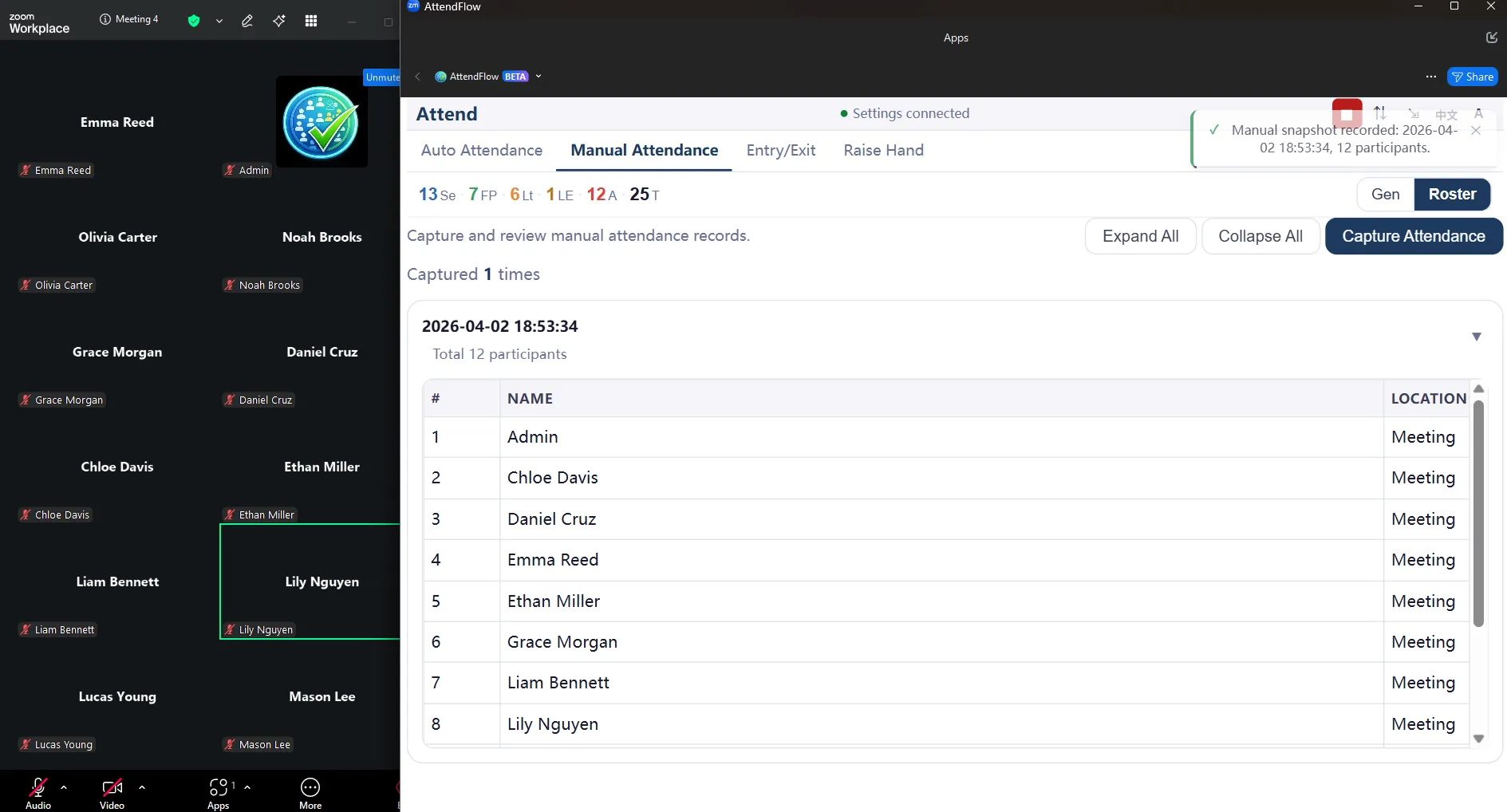 Manual Attendance tab
How to Capture a Manual Attendance Record
Section titled “How to Capture a Manual Attendance Record”- Click the Manual Attendance tab at the top of the Meeting Panel.
- Click the Capture Attendance button.
- The app captures the name of all participants in the meeting at that exact moment.
- The manual attendance record is saved to the Attendance record automatically.
- You can take multiple manual attendance records throughout the meeting. Each one gets its own timestamp.
What a Manual Attendance Record Includes
Section titled “What a Manual Attendance Record Includes”Each manual attendance record captures:
- Timestamp (e.g., “14:31:00”).
- All present participants at that moment.
- Location (Meeting or Waiting Room).
Manual Attendance Record Export
Section titled “Manual Attendance Record Export”When you export Attendance Records, manual attendance records are included in:
- JSON export: Full attendance record with manual attendance data embedded.
- Manual attendance record CSV: Separate CSV file with manual attendance record-specific data (one row per person per manual attendance record).
Viewing Manual Attendance Records in Attendance Records
Section titled “Viewing Manual Attendance Records in Attendance Records”After the meeting, you can review manual attendance records in Settings Panel:
- Go to Settings Panel > Records.
- Find your meeting record and click to expand details.
- Look for a “Manual attendance records” section or tab.
- You’ll see a list of all manual attendance records taken during that meeting (with timestamps).
- Click each manual attendance record to see the detailed participant state at that time.
Related Links
Section titled “Related Links”- Meeting Panel Overview – Understand all four tabs.
- Auto Attendance Tab – Monitor live statuses.
- Entry/Exit Tab – Review exact join/leave times.
- Attendance Records Management – Browse and export manual attendance records after meetings.
- Attendance Records CSV Columns – Manual attendance record CSV format details.