

Import and Export Attendance Records
Use this page when you already know you need to move or export Attendance Records. For the day-to-day view, start from Attendance Records.
Importing Attendance Records
Section titled “Importing Attendance Records”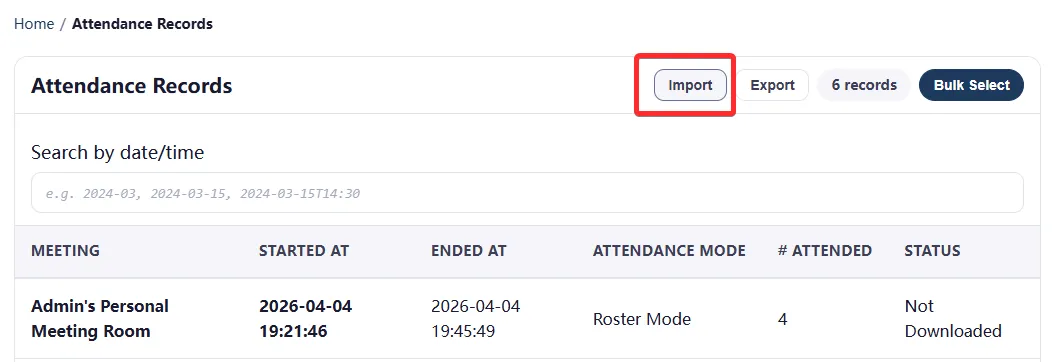 Import Attendance Records button in the Attendance Records list view
- Accepts record JSON files.
- Supports single record bundle and list payloads in a file.
- Use JSON when you want a restore-quality archive, not just a spreadsheet export.
Per-record export options
Section titled “Per-record export options”- JSON bundle
- Summary CSV
- Manual attendance records CSV
These are available in the Records details view for each meeting record.
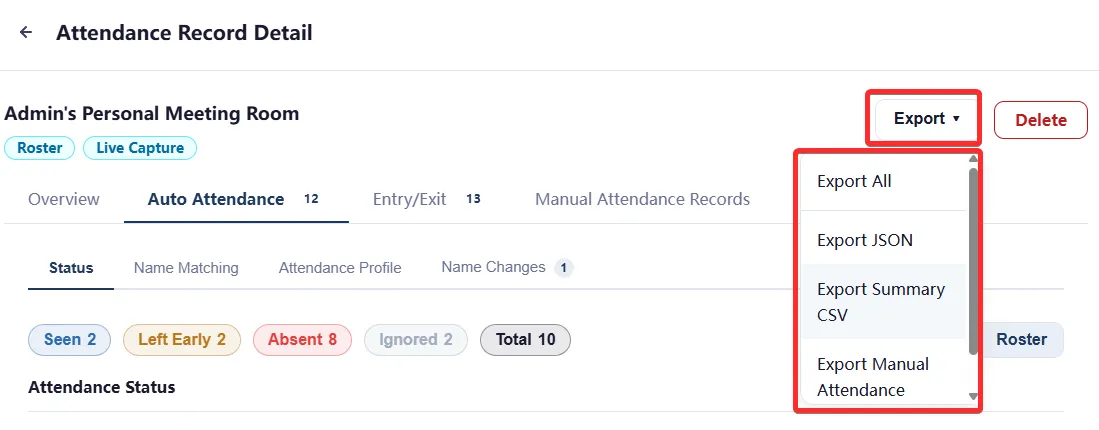 Export options for Attendance Records in the record details view
If you are not sure which format to choose:
- Export JSON for archive, transfer, or later re-import.
- Export Summary CSV for reporting or spreadsheet work.
- Export Manual attendance records CSV when you used manual checkpoints during the meeting.
File naming patterns
Section titled “File naming patterns”- session-{timestamp}-{sessionId}.json
- session-{timestamp}-{sessionId}.csv
- session-manual-attendance-records-{timestamp}-{sessionId}.csv
Multi-record export
Section titled “Multi-record export”- Export selected Attendance Records to JSON.
- Export all visible Attendance Records to JSON.
These options are available in the Attendance Records list view.
Export language
Section titled “Export language”CSV export language can be configured in Other Settings to be either English or Chinese. File content will differ based on the export language setting.
Related Links
Section titled “Related Links”- Attendance Records - Browse records and choose what to export.
- Import and Export Behavior - Import preview, export, backup, and restore rules.
- Attendance Records JSON Fields - JSON field-level reference.